Sales operations
When Wholesale Ordering Portals Beat Email and Excel
Find out when repeat orders have outgrown email and Excel, what a wholesale portal must handle, and how to run a pilot that measures sales capacity and buyer effort.
October 6, 2026 by nojan
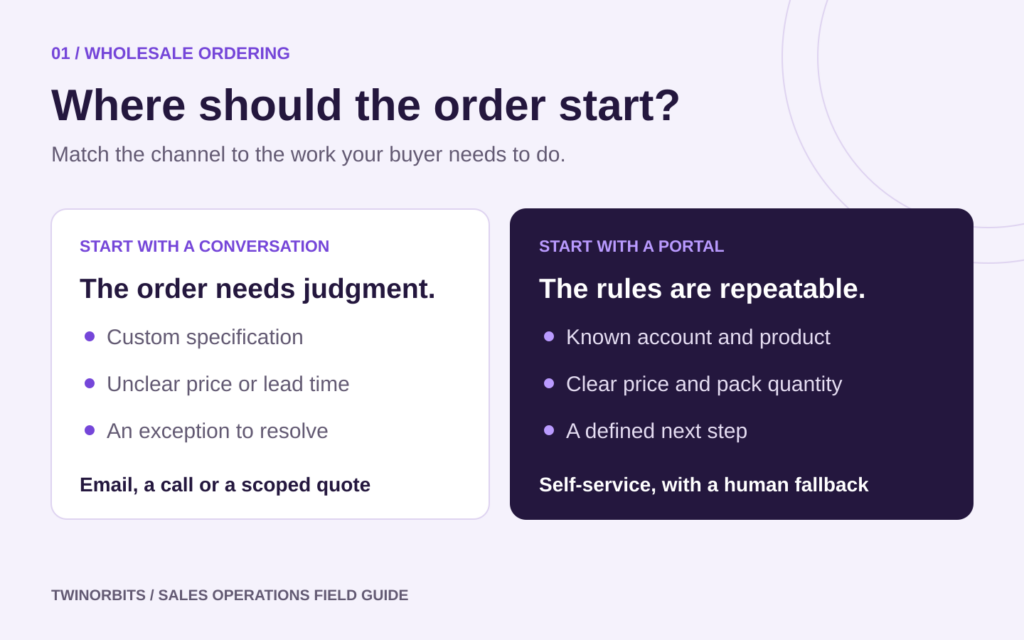
A wholesale ordering portal is worth considering when repeat orders follow predictable rules, but your team still spends time finding prices, correcting quantities and retyping requests. For a sales manager, the decision starts with a practical question: how much of today’s order handling genuinely needs a salesperson?
Email and Excel can work well for a small customer base or highly negotiated orders. A portal becomes more useful when familiar transactions repeatedly get delayed by administration. Use the checklist below to identify that point, then test the idea with a focused pilot.
Five signs your order process is ready for a portal
1. Customers regularly reorder the same products
Look for accounts that buy a recognisable basket every week or month. A searchable catalogue and a convenient reorder flow can remove repeated typing. Ask buyers how they currently build an order: from their own spreadsheet, a previous invoice, a stockroom list or memory.
2. Prices depend on the account
Customer-specific prices become difficult to manage when several spreadsheets and email attachments remain in circulation. Before choosing a portal, establish who approves prices, when they take effect and which account or delivery location each price applies to.
3. Your team corrects the same ordering mistakes
Review recent corrections for recurring causes: obsolete product codes, missing purchase-order references, invalid pack quantities or the wrong delivery address. These are candidates for validation before submission. A portal’s value depends on whether it can apply your actual rules.
4. Buyers need answers outside sales hours
Access to product details and order status can help customers prepare purchases without waiting for a reply. Decide what information is reliable enough to show. An outdated stock figure can create more work than a clear message explaining that availability requires confirmation.
5. Routine administration is displacing account work
Ask representatives to record where their time goes for a normal trading week. Separate order entry and status chasing from product advice, negotiation and account development. This gives you a concrete starting point for deciding which activities a portal should support.
Check the buying rules before the design
A wholesale portal needs to fit how customers buy. Prepare a short requirements list with sales, operations and finance:
- Which products and prices should each customer see?
- Are quantities entered as individual units, cases or pallets?
- Which minimums, order increments and quantity-based prices apply?
- Can a buyer select from several authorised delivery addresses?
- Which orders need internal approval, credit review or a shipping quotation?
- When does a submitted order become a confirmed commitment?
These details affect platform selection. For example, Shopify documents B2B quantity rules at product-variant level, including minimums, maximums and increments. Ask a supplier to demonstrate your own pack-size and mixed-product scenarios rather than assuming that a feature label covers them.
Customer-specific access also deserves a realistic test. Have two test buyers from different accounts sign in and check that each sees only the intended assortment, pricing and account information.
An illustrative example of a better reorder flow
Illustrative example, not a customer case study: A hospitality wholesaler receives a weekly spreadsheet from a restaurant group. The file uses an old product code, requests ten units of an item sold in cases of twelve, and lists a former delivery address. A representative emails the buyer, waits for clarification and re-enters the corrected order.
For a portal pilot, the team chooses that recurring order type. The buyer selects the current product, sees the case size and chooses an approved delivery address. An unusual delivery request goes to a named person for review. The acknowledgement explains whether the order is received, awaiting review or accepted.
The useful improvement is visible at each step: fewer details to clarify, a clear exception route and less uncertainty for the buyer. The pilot still needs to prove that the information stays accurate and that customers find the process convenient.
Run a pilot with a clear boundary
Start with a manageable group of willing customers, a stable product range and one recognisable ordering pattern. Include an account that is straightforward and one with a meaningful complication, such as multiple delivery locations.
- Record the baseline. Track handling time, corrections and clarification messages for those accounts.
- Validate the data. Check product codes, units, account prices and addresses before inviting buyers.
- Practise real orders. Ask customers and representatives to complete familiar tasks, including an exception.
- Keep ownership clear. Name the person responsible for pricing questions, failed submissions and customer support.
- Review before expanding. Compare results with the baseline and fix the causes of abandoned or manually corrected orders.
If the portal connects to an ERP, include that handover in testing. A successful checkout does not by itself prove that the order reached the fulfilment team with the correct price, quantity and customer reference.
Measure sales capacity and customer effort
Portal registrations are an early activity measure. For the pilot decision, use measures tied to the original problem:
- Staff handling minutes per eligible order
- Orders requiring manual correction or clarification
- Time from customer submission to an accepted order
- Repeat buyers completing a second portal order
- Customer-reported difficulty and reasons for returning to email
Include portal support and exception handling in the time calculation. Compare similar order types, and record changes in volume or complexity that might distort the result. Set your own success thresholds before reviewing the numbers.
Frequently asked questions
Should every wholesale customer move to a portal?
No. Begin where orders are repeatable and buyers want self-service. Complex specifications, negotiated projects and unusual commercial terms may continue to need direct sales involvement.
Does a portal need ERP integration immediately?
That depends on the pilot’s scope. A controlled manual handover can test buyer adoption, provided responsibilities and checks are explicit. If pricing, stock or order volume makes that handover unreliable, integration belongs in the initial scope.
Choose one ordering problem to solve first
TwinOrbits offers Sprinkle for WooCommerce for B2B commerce, including company accounts, pricing and ordering workflows. Explore wholesale ecommerce development or contact TwinOrbits to discuss your workflow. Bring an anonymized typical reorder, a recent correction and one exception so the conversation starts with the work your team needs to improve.