Sales operations
Before Ecommerce to ERP Integration: A Sales Manager’s Checklist
Before connecting ecommerce to an ERP, agree data ownership, identifiers, order rules and recovery. Use this checklist to prepare a practical integration brief.
October 6, 2026 by nojan
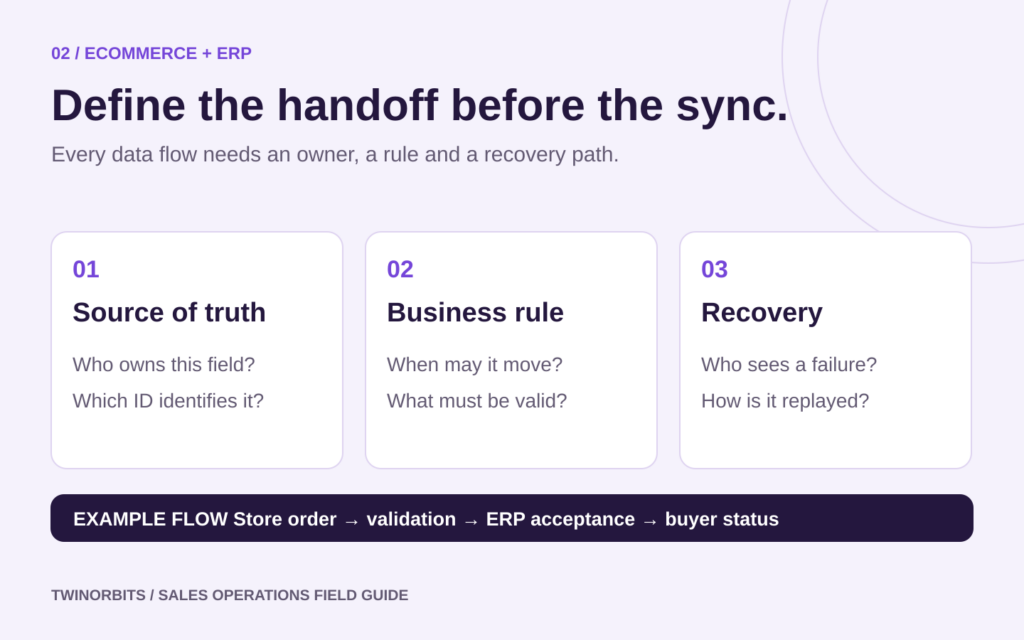
Before connecting ecommerce to an ERP, agree how an order should behave when information is incomplete, systems disagree or a connection fails. A working connector cannot decide whose price is correct, whether a case means twelve units or who should release an order on credit hold.
Sales managers have an important role in these decisions because customers experience the consequences. Use this ecommerce-to-ERP integration checklist to prepare a practical brief with sales operations, finance, fulfilment and your implementation partner.
1. Define the first complete order journey
Choose a bounded starting scope: one storefront, one business entity and a representative set of customers and products, for example. Follow an order from submission through validation, acceptance, fulfilment and any customer-facing status updates.
Specify which steps must work at launch and which remain manual. Include order changes, cancellations and partial shipments if they occur in the chosen workflow. A narrow launch still needs a complete path for the transactions it accepts.
Write the customer promise in plain language. Does checkout confirm receipt, acceptance or a delivery commitment? Make that wording consistent with the point at which your ERP and operations team can honour it.
2. Assign an owner to each important field
Create a data-ownership list before discussing sync frequency. For each field, record the authoritative system, the person responsible for its quality and which other systems may update it.
- Customer accounts: account identifiers, delivery locations and purchasing permissions
- Products: item codes, variants, units and pack conversions
- Commercial terms: prices, discounts, currencies and payment terms
- Availability: the inventory measure customers are allowed to rely on
- Orders: external references, acceptance state and permitted amendments
- Fulfilment: shipped quantities, tracking details and outstanding lines
For example, the ERP may own contracted prices while ecommerce owns marketing descriptions. Document what happens if an edit arrives from the wrong system. Avoid a vague instruction to synchronise everything in both directions.
3. Clean identifiers and agree units
A connection needs a dependable way to match records. Check that every in-scope product variant and customer account has a stable identifier, and that mappings are recorded rather than inferred from similar names.
Resolve duplicate accounts, discontinued codes and missing delivery-location references. Then test unit conversions explicitly. A quantity of six could mean six items, six cases or six pallets; the receiving system needs the same interpretation as the buyer.
Illustrative example, not a customer case study: A distributor sells detergent in cases of twelve bottles. Ecommerce records five cases while the ERP stores stock in bottles. The agreed mapping must produce sixty bottles, preserve the correct price basis and show the intended unit on the customer’s confirmation. Test a return using the same mapping.
4. Resolve commercial exceptions with finance and operations
Bring examples of orders that required intervention during a recent trading period. Turn each example into an explicit decision:
- Which price applies when a contract changes between checkout and ERP acceptance?
- Who approves a discount outside the customer’s agreement?
- What happens if available stock drops before the order is accepted?
- Does a credit hold block submission, acceptance or fulfilment?
- How are shipping charges, tax treatments and rounding validated?
- Can a submitted order be changed, and which system records the change?
Finance should approve the relevant accounting and tax mappings. Sales should approve the customer-facing explanation for rejected, delayed or amended orders. Record the decision and owner together so exceptions do not disappear into a shared inbox.
5. Set timing and recovery requirements
Replace “real time” with measurable requirements for each flow. Decide how old displayed stock or prices may be, how quickly orders should reach the ERP and what buyers see while acceptance is pending. Different data can have different acceptable delays.
Ask your implementation partner to demonstrate duplicate prevention, retry behaviour and reconciliation. These are practical requirements: Shopify’s webhook documentation explains that delivery order is not guaranteed and recommends reconciliation because notifications may be missed.
Capacity limits also need a plan. Microsoft documents throttling for Business Central APIs, including responses that require retries with a cooling-off period. Confirm the equivalent limits for your systems and how queued work will recover.
From a sales perspective, the acceptance criteria are straightforward: retrying a transmission must not create a second order, a failed order must be visible to an owner, and delayed updates must not silently overwrite newer information.
6. Test access and difficult transactions
Agree who can view and change each type of data. Use dedicated integration access with only the permissions needed, protect credentials, and confirm that customer-facing users cannot access another account’s records. Include access checks in acceptance testing.
Use representative test data in a non-production environment where available. Your test pack should include:
- A standard order and an account-specific price
- Invalid item codes, missing addresses and incorrect pack quantities
- Out-of-stock lines, partial fulfilment and a cancelled order
- A credit hold and a price change during processing
- A repeated message, a temporary outage and delayed status updates
- A reconciliation check against the records in both systems
Write the expected outcome before each test. Check quantities, totals, status, references and customer messages, then have the relevant business owner approve the result.
7. Name the launch and support owners
Before launch, agree who watches for failures, who can correct a mapping and who communicates with affected customers. Prepare a controlled fallback for taking orders, including a way to prevent duplicate entry when the connection recovers.
Define expansion criteria around complete, correctly processed orders and resolved exceptions. Keep a record of known limitations so representatives can set accurate expectations during the first trading period.
Frequently asked questions
Should every field synchronise both ways?
Only when there is a clear business reason and a conflict-resolution rule. Start with an agreed owner and direction for each field.
What should sales bring to an integration workshop?
A typical order, recent exceptions, customer price agreements, unit and pack rules, and examples of the status questions customers ask most often.
Prepare your integration brief
TwinOrbits lists ecommerce and ERP/CRM integration among its services. Contact TwinOrbits with your systems, first order journey and unresolved business rules to discuss a workable implementation scope.